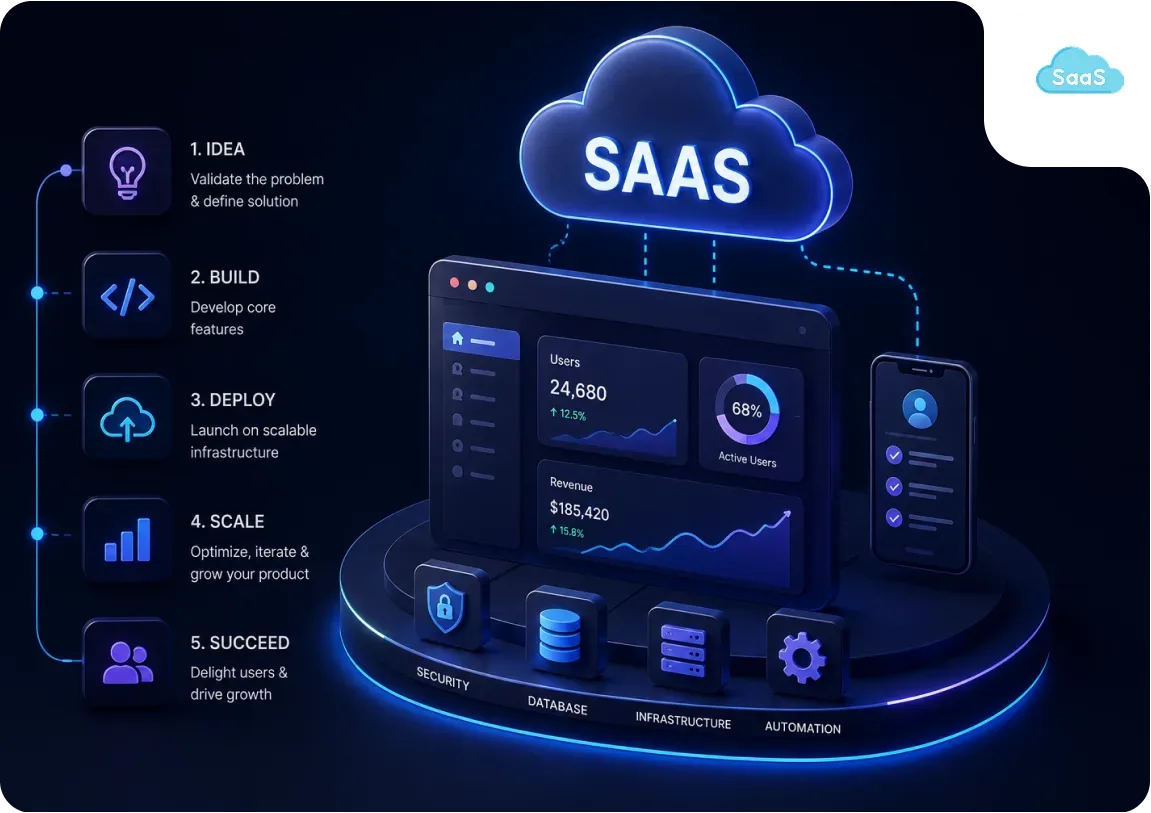
This guide covers the technical decisions that matter most when building a SaaS product. Not the generic ones that appear in every "how to build a startup" post, but the specific ones that kill SaaS products when made wrong: multi-tenancy architecture, pricing model selection, the build-versus-buy decision for commodity features, and infrastructure choices that work at launch but fail at scale.
CV Infotech has built SaaS products since 2012. UltimaBot and UltimaWriter are active AI SaaS platforms we built for Steven (USA) and continue to maintain. GiftCards was a custom eCommerce SaaS built for Francisco Escobar (Netherlands) in 2012. This guide reflects what we have learned building products that are still running, not theoretical advice about what a SaaS product should look like.
What this guide covers:
- Step 1: Validate demand before writing a line of code.
- Step 2: Choose your pricing model before your database schema.
- Step 3: Multi-tenancy architecture (shared DB vs per-tenant DB).
- Step 4: Buy authentication, billing, and email. Build everything else.
- Step 5: Start with managed infrastructure. Migrate to AWS when MRR justifies it.
- Step 6: What your SaaS MVP must have and must not have.
- Step 7: Instrument everything from day one. Churn kills SaaS products.
- Step 8: Design for growth from the start. SOC 2, audit logs, feature flags.
Step 1, Validate That Enough People Have This Problem
The most expensive mistake in SaaS development is building a product that solves a problem that not enough people have. A technically excellent SaaS product with no market is a write-off. Validation before development is not optional, it is the first step. The validation test: can you get ten people who are not your friends or family to say, clearly and without prompting, that they would pay for this?
1. Problem interview
Talk to 20 people in the target audience. Ask about their current workflow. Do not mention your solution. Listen for the problem you are solving. If the problem does not come up unprompted, it may not be as significant as assumed. If it comes up with frustration, and they describe manual workarounds, you have a validated problem.
2. Willingness-to-pay test
Build a landing page that describes the solution and asks for an email address or a pre-payment. Paid signups on a landing page before the product exists is the strongest validation signal. Email signups are a weaker signal. The conversion rate on the landing page tells you market size, and the pre-payment tells you whether people will pay your target price.
3. Prototype validation
Build the smallest version of the product that delivers the core workflow. Give it to five paying beta users. If they use it weekly without prompting, the core value is real. If they use it once and stop, the value proposition needs rethinking before the full build. The cost of this validation is $5,000 to $15,000 in development time. The cost of building the full product without it can exceed $100,000.
See our SaaS development service for how we approach validation in the discovery phase before any development starts.
Step 2, Your Pricing Model Determines Your Architecture
Why pricing comes before code
The pricing model your SaaS uses drives significant architectural decisions. Making the wrong choice and reversing it later requires rework in the billing system, the database schema, and the access control layer. Decide this before building.
| Model | Example | Technical Requirement | Best For |
|---|---|---|---|
| Per-seat | Slack, Notion | Seat count tracking, team management, invite flows | B2B collaboration tools |
| Usage-based | AWS, Stripe, Twilio | Usage metering system, real-time consumption tracking | APIs, infrastructure, AI products |
| Flat-rate | Basecamp | Simple plan gating, no seat or usage tracking | Simple tools, consumer products |
| Tiered (features) | HubSpot, Salesforce | Feature flags, plan-level access control | B2B SaaS with clear feature tiers |
| Hybrid (seat + usage) | OpenAI API | Both seat and usage metering | AI-integrated B2B tools |
The hidden cost of getting this wrong
A SaaS that launches with flat-rate pricing and then moves to per-seat billing later requires: changes to the billing integration, a database schema change to track users per account, a new onboarding flow, and potentially a migration for existing customers. Budget 3 to 6 weeks of developer time for this change. Do it right at the start.
Step 3, Multi-Tenancy: How to Isolate Customer Data
A SaaS serves multiple customers (tenants) from one application. Each tenant's data must be isolated, your customers cannot see each other's data. There are three main architectural approaches, each with different trade-offs.
Architecture 1, Shared database, row-level isolation (recommended for most SaaS)
Every database table has a tenant_id column. Every query includes a WHERE tenant_id = :current_tenant filter. Row-level security (RLS) in PostgreSQL enforces this at the database level. Cost: one database, standard infrastructure cost. Risk: a bug in the tenant_id filter exposes one customer's data to another. Mitigation: PostgreSQL RLS as a second line of defence, comprehensive testing. Right for: most early-stage SaaS products with up to ~10,000 customers.
Architecture 2, Shared database, separate schema per tenant
Each customer gets their own PostgreSQL schema within a shared database. Stronger isolation than row-level, a query in one schema cannot access another. Cost: higher complexity in migrations (schema changes must propagate to all tenants). Right for: mid-scale products with stricter data isolation needs.
Architecture 3, Separate database per tenant
Each customer gets their own database instance. Strongest isolation. Simplest queries (no tenant_id filter needed). Cost: significantly higher infrastructure cost at scale. Right for: enterprise SaaS selling to regulated industries (healthcare, finance) where data residency requirements demand it, or products with very large per-tenant datasets.
Our recommendation
Start with shared database and row-level isolation. Use PostgreSQL's native RLS to enforce tenant boundaries at the database level. Design your schema with tenant_id on every table from the beginning. Migrating to a more complex multi-tenancy model later is possible. Retrofitting tenant isolation into a schema that was not designed for it is very expensive.
Step 4, Buy These Three Components. Build Everything Else.
Authentication, Buy It
Building authentication from scratch takes 4 to 8 weeks and produces a system that handles fewer attack patterns than Auth0 or Clerk, which have been hardened against brute force, credential stuffing, and session hijacking for years.
- Clerk: $0 for up to 10,000 monthly active users, then usage-based.
- Auth0: generous free tier, $23/month for up to 1,000 MAUs after.
- Supabase Auth: free tier, integrated with Supabase database.
Buy authentication. The weeks saved pay for years of Auth0 subscriptions.
Billing, Use Stripe
Subscription billing has hundreds of edge cases: proration when customers upgrade mid-cycle, failed payment retry logic, invoice generation, VAT handling, trial period management, coupon and discount application, and refund processing. Stripe Billing handles all of them. Building custom billing logic is one of the most common expensive mistakes in SaaS development. Use Stripe.
Stripe's fee: 2.9% + 30 cents per transaction (0.5% additional for Billing features). Lemon Squeezy alternative: acts as merchant of record, handles global sales tax. Use Lemon Squeezy if global tax compliance is a concern from day one.
Transactional Email, Use a Provider
SaaS products send a lot of emails: account verification, password reset, billing receipts, usage alerts, team invitations, trial expiry warnings. Do not self-host email. Use Resend (simple API, modern developer experience), SendGrid (reliable, higher volume), or Postmark (high deliverability for transactional).
Resend: free up to 3,000 emails/month. $20/month for 50,000/month.
What to build yourself
Everything that is specific to your value proposition. The feature that makes your SaaS different from all other SaaS products, that is what you build. The commodity infrastructure (auth, billing, email) is what you buy.
Step 5, Start With Managed Infrastructure. Scale Later.
The premature optimisation trap
SaaS founders frequently over-engineer infrastructure for a product that has no users. Kubernetes clusters, microservices, custom CDN configurations, and elaborate caching layers are not the right starting point for a product with 10 customers. Start simple. Add complexity when the business justifies it.
| Component | Recommended Service |
|---|---|
| Application hosting | Vercel (Next.js) or Railway (any stack) |
| Database | Supabase (PostgreSQL, free tier) or PlanetScale (MySQL) |
| Authentication | Clerk or Auth0 (free tier) |
| File storage | Cloudflare R2 or AWS S3 |
| Background jobs | Trigger.dev or Inngest (serverless queue) |
| Resend or Postmark | |
| Monitoring | Sentry (free tier for errors) + Vercel Analytics |
| CDN and DNS | Cloudflare (free) |
Total monthly cost at MVP stage: $50 to $200/month. Scale to AWS when MRR justifies it.
When to migrate to AWS
When your monthly infrastructure cost on managed services exceeds $500 to $1,000 and AWS's lower per-unit cost would save more than the DevOps overhead costs. For most SaaS products, this occurs at $3,000 to $10,000 MRR. Before that point, managed services save more in engineering time than AWS saves in cost.
Step 6, What Your SaaS MVP Needs (and Does Not Need)
In the SaaS MVP
- User authentication and account creation (bought, not built).
- The core workflow that delivers your value proposition.
- At least one paid subscription plan with working billing.
- Basic user dashboard showing relevant data.
- Core integrations that your value proposition depends on.
- Reliable enough to serve paying customers without frequent failure.
Out of the SaaS MVP
- Team management and multi-user accounts (unless your pricing model is per-seat).
- Admin panel beyond basic internal operations.
- Detailed analytics and reporting (add after you know what to measure).
- API for third-party integrations (document, don't build until customers ask).
- Mobile app (unless mobile is core to the value proposition).
- SSO / SAML (add when enterprise customers require it).
- SOC 2 compliance infrastructure (plan for it, implement when deals require it).
The scope discipline
UltimaBot in 2019 did not have everything UltimaBot has in 2026. It had the core workflow, working billing, and enough reliability to serve Steven's initial use case. Every feature added since then was driven by real usage data, not pre-launch assumptions.
Step 7, Instrument Everything From Day One
SaaS churn kills products faster than technical bugs. If you do not know which features your customers use, which onboarding steps cause drop-off, and when customers stop logging in before they cancel, you cannot fix the right things. Build measurement in from day one, not as an afterthought in month six.
Tier 1, Product analytics
Which features are used, by whom, how often. PostHog (open source, generous free tier) or Mixpanel (free up to 20M events). Track: signup, first action, core workflow completion, feature usage, last seen.
Tier 2, Revenue analytics
MRR, churn rate, expansion revenue, trial conversion. Stripe's revenue dashboard covers basics. ChartMogul or Baremetrics for deeper SaaS metrics. The metric that predicts survival: monthly net revenue churn below 2%.
Tier 3, Error tracking
What breaks, when, for which users. Sentry free tier tracks errors and gives stack traces. Build Sentry in from the first day of development, not after the first production bug.
Step 8, Design for Growth From the Start
API-first design
Even if you do not launch a public API, design your backend as if you will. Clear API contracts, documented endpoints, consistent response formats. This makes adding integrations, mobile apps, and third-party connections faster and reduces technical debt when your enterprise customers ask for API access.
Feature flags
Feature flags let you ship code to production without enabling it for all users. They enable gradual rollouts, A/B testing, and beta programs for specific customers. LaunchDarkly (paid, full-featured) or Unleash (open source, self-hosted). Add feature flags before your first enterprise customer, they will ask for features your SMB users should not see yet.
Audit logs
Enterprise customers require audit logs: who did what, when, from where. Design your database schema to support audit logging from the start. Adding audit logging retroactively is significantly more work than building it in.
SOC 2 roadmap (not yet, but soon)
If you are selling to enterprise customers, SOC 2 Type II certification will be required. It typically takes 6 to 12 months to achieve. Start the process when enterprise revenue justifies it, but design your controls from the beginning so the audit is not a refactoring exercise.
See our SaaS development service for how we approach compliance architecture in SaaS builds.
What a SaaS Product Costs to Build
| Scope | Hours | CV Infotech $30/hr | US Agency $150/hr |
|---|---|---|---|
| SaaS MVP (auth + core workflow + billing) | 400-1,330 hrs | $12,000-$40,000 | $60,000-$200,000 |
| Mid-complexity SaaS (multi-tenancy, teams, integrations) | 830-2,000 hrs | $25,000-$60,000 | $125,000-$300,000 |
| Full-featured SaaS (enterprise features, advanced reporting, API) | 1,670-5,000 hrs | $50,000-$150,000 | $250,000+ |
| AI-integrated SaaS (GPT, RAG, ML pipeline included) | +500-1,670 hrs | +$15,000-$50,000 | +$75,000-$250,000 |
Written scope before any payment. See our App development cost guide.
Working on a SaaS product project?
Written scope before billing. $30/hr. We tell you if we're not the right fit.

Akash Singh
View full profileCTO and Co-Founder, CV Infotech · Gurugram, India
Akash has been building Websites, Web Apps, SaaS and Mobile Apps for clients in the USA, Europe, Australia, and Canada since 2012. He leads a 100% in-house team and personally manages every client relationship and technical decision. Francisco Escobar has worked with him since 2012. Steven has trusted the team with his AI platforms since 2019. 512 verified 5.0 reviews on Freelancer.com.