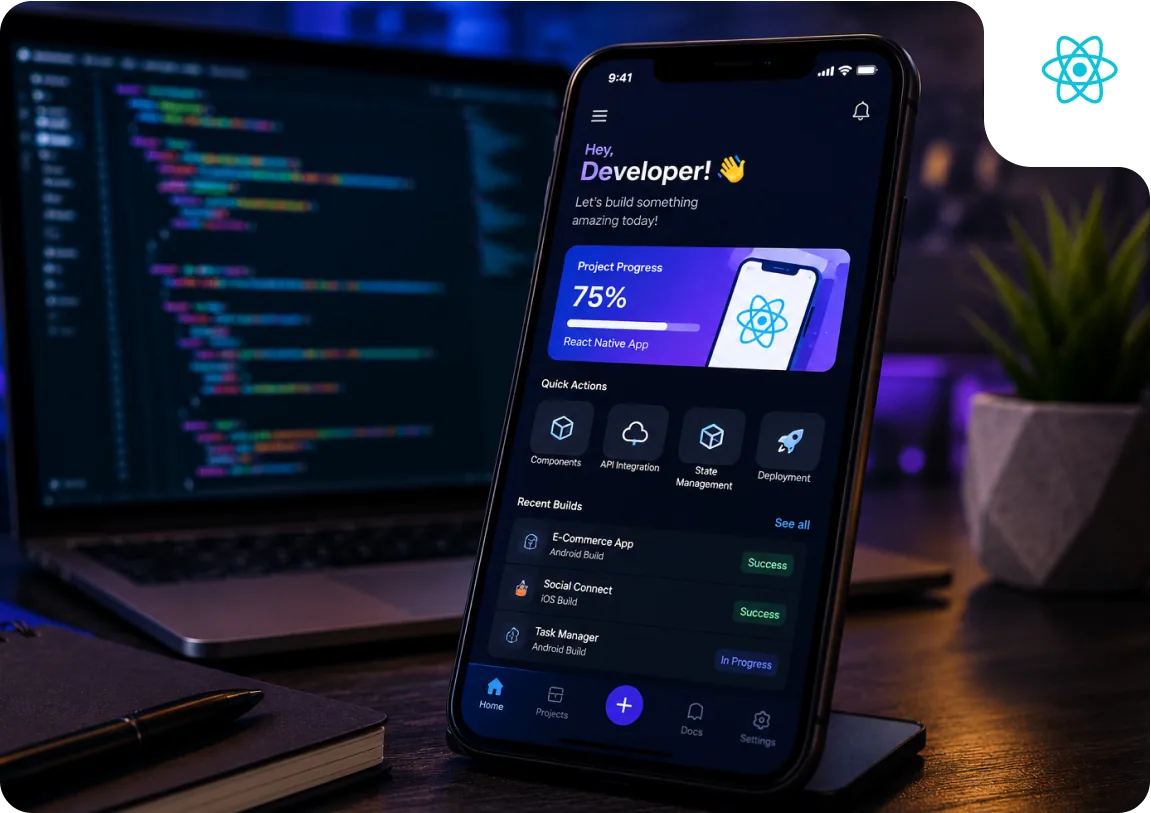
React Native, What It Is and How It Differs from Other Frameworks
React Native is a JavaScript framework for building native mobile apps that is fundamentally different from hybrid frameworks like Ionic or Cordova. Hybrid frameworks run a web app inside a WebView, the user is technically using a browser embedded in a native shell. React Native does not do this. It uses a JavaScript runtime (Hermes, the optimised JS engine Meta created specifically for React Native) to run your application logic, and then communicates with the native platform to render actual native UI components, the same components that a Swift or Kotlin app would use. A React Native button is a UIButton on iOS. A React Native text input is an EditText on Android. Users interact with real native controls, which means the app behaves the way iOS and Android users expect.
The architecture that enables this communication changed significantly with the React Native new architecture. The old architecture used an asynchronous JavaScript bridge, messages between JS and native code were serialised to JSON, sent across the bridge, and deserialised on the other side. This worked, but the serialisation overhead and the asynchronous nature of the communication created performance bottlenecks, particularly for animations that needed to update the UI at 60 frames per second. The new architecture replaces this bridge with JSI, the JavaScript Interface, a synchronous C++ layer that allows JavaScript to hold a reference to a native object and call methods on it directly, without serialisation. This change is what enabled React Native's performance to approach Flutter's in benchmarks that previously showed a clear gap.
The component model in React Native is deliberately parallel to React for the web. If you know how to build a React component, JSX, props, state, hooks, you can build a React Native component. The main differences are in the primitives: instead of div and span, you use View and Text. Instead of an HTML input, you use TextInput. The business logic, API calls, data transformation, validation, state management, is identical to what you write in React for the web.
Expo, Why Most React Native Projects Should Start Here
Expo is a framework and set of tools built on React Native that addresses one of React Native's historically frustrating aspects: the environment setup and native build configuration. Setting up a raw React Native project requires Xcode (Mac only for iOS), Android Studio, Java, CocoaPods, and a series of configuration steps that frequently break when dependencies update. Expo abstracts most of this away. You can create a new Expo project with a single command, run it on your phone immediately using Expo Go (no Xcode or Android Studio needed for development), and build production binaries using EAS Build, Expo's cloud build service, without a Mac.
Expo SDK 51 (the current major release in 2026) provides pre-built native modules for: camera, location, push notifications, biometric authentication (Face ID, fingerprint), file system access, calendar, contacts, audio, and many other device capabilities. These modules are maintained by the Expo team and are tested to work with every Expo SDK version. The alternative, managing native module dependencies yourself in a bare React Native project, frequently leads to version conflicts and build failures. Using Expo's managed module ecosystem eliminates this entire class of problem for most standard mobile app requirements.
The Expo bare workflow gives you the best of both worlds: Expo's SDK and tooling with the ability to add custom native code when required. If you start with the Expo managed workflow and later discover a native feature that Expo's SDK does not cover, you can eject to the bare workflow and add the custom native module. This progression, start managed, eject when necessary, is the practical approach for most production apps.
Navigation in React Native, Expo Router and React Navigation
Navigation is one of the first architectural decisions in any React Native project. The standard library is React Navigation, now in version 7, which has been the community standard for React Native routing since 2018. React Navigation provides stack navigation, tab navigation (bottom tabs, top tabs), and drawer navigation, composable into the navigation structure your app requires. It manages the navigation state, handles the native transition animations on each platform (iOS push/pop slide, Android swipe back gesture), and provides a hooks-based API for navigating programmatically and reading the current navigation state.
Expo Router, introduced in Expo SDK 48 and significantly matured by SDK 51, brings file-system-based routing to React Native, the same paradigm Next.js uses for web routing. Your app's screens are files in an app/ directory; the file path determines the route. A file at app/profile/settings.tsx creates the /profile/settings route automatically. Deep linking configuration, which traditionally required significant manual setup in React Navigation, is handled automatically by Expo Router. For new Expo projects in 2026, Expo Router is the recommended navigation approach.
The choice between Expo Router and bare React Navigation depends on whether you are using Expo. If you are on the Expo managed or bare workflow, Expo Router is the right choice. If you are using bare React Native without Expo, React Navigation v7 directly is the approach. In both cases, the core navigation primitives, Stack, Tabs, Drawer, are the same.
State Management in React Native, What to Use in 2026
The state management landscape for React Native in 2026 has converged significantly. The pattern that works best for most apps separates server state from client state. Server state, data fetched from an API, is handled by React Query (TanStack Query). Client state, UI state like modal open/closed, form values, and application settings, is handled by Zustand for anything shared across components, and useState for local component state. This separation is cleaner than putting everything in a global Redux store and manages the different concerns of caching, synchronisation, and UI state independently.
React Query dramatically reduces the code required to fetch, cache, and synchronise data from an API. Instead of writing useEffect to fetch on mount, loading and error state management, manual cache invalidation, and retry logic, you call useQuery with a query function and a key. React Query handles all the rest: caching the result for the key, refetching in the background when the component remounts, invalidating the cache when you mutate data, and retrying failed requests with exponential backoff.
What to avoid: GetX is a popular state management library that combines routing, dependency injection, and state management in one package. Its appeal is the speed of initial setup, but the combination of concerns creates testing difficulties and makes large codebases harder to reason about. For new projects, avoid GetX and prefer Zustand + React Query.
Accessing Native Device Features
Native device features, camera, GPS, Bluetooth, push notifications, biometric authentication, Apple Pay and Google Pay, are accessed in React Native through native modules. A native module is a JavaScript interface that wraps native iOS (Swift or Objective-C) and Android (Kotlin or Java) code. For Expo projects, the Expo SDK provides pre-built native modules for the most commonly needed device features. expo-camera for camera access, expo-location for GPS, expo-notifications for push notifications, expo-local-authentication for biometric authentication, and react-native-purchases (RevenueCat) for in-app purchases.
The React Native community ecosystem on npm provides hundreds of additional native modules for device features not covered by the Expo SDK. When evaluating community modules, check: when was it last updated (maintenance status), does it support the new architecture (TurboModules or the legacy bridge), and does it have Expo config plugin support (required for Expo managed workflow). Modules that have not been updated since 2022 may not support the new architecture and can cause build issues.
When no existing native module covers a specific requirement, a custom native module can be written using React Native's native module spec (NativeModule) API. In the new architecture, custom modules use the TurboModule system which uses JSI for communication. Writing a custom native module requires Swift or Kotlin knowledge. At CV Infotech, custom native module work adds $3,000 to $8,000 per module to the project cost depending on the complexity of the native API being wrapped.
Testing a React Native App
React Native testing uses the same tools as React web testing. Jest is the test runner. React Native Testing Library (RNTL) renders React Native components in a simulated environment and provides utilities for querying the rendered output and simulating user interactions. Detox or Maestro are used for end-to-end tests that run the full app on a real device or simulator. The testing pyramid applies: many unit tests, fewer component tests, even fewer end-to-end tests.
React Native Testing Library encourages testing components as users experience them rather than testing implementation details. Queries like getByText, getByRole, and getByTestId find elements by visible attributes rather than internal component structure. This makes tests more resilient to refactoring, changing how a component is implemented should not break a test as long as the visible behaviour remains the same.
Maestro has become the preferred end-to-end testing framework for Expo and React Native projects because it is significantly easier to set up and maintain than Detox. Maestro uses a YAML-based test specification that reads like plain English: launch the app, tap 'Login', enter email, enter password, tap 'Sign In', assert the home screen is visible. Tests run on iOS simulators, Android emulators, and real devices.
Submitting a React Native App to the App Store and Google Play
Expo EAS Build generates the production binaries for both App Store and Google Play in the cloud, without requiring a local Mac for iOS builds. EAS Build manages code signing certificates, provisioning profiles, and Keystore files automatically. You configure your app identifier, bundle ID, and signing credentials once via eas.json, and subsequent builds are triggered with a single command: eas build --platform all.
App Store submission requires an Apple Developer account ($99/year) and compliance with Apple's App Store Review Guidelines. For eCommerce apps, you cannot use custom payment processors for digital goods without going through Apple's in-app purchase system. Physical goods can use Stripe or other payment processors directly. React Native apps must include a privacy manifest for apps using certain APIs that access device signals (from iOS 17 onwards). Expo handles this automatically for Expo SDK modules.
Over-the-air (OTA) updates via Expo Updates allow you to push JavaScript changes to production users without a new App Store submission. When you push an OTA update, the app downloads the new JavaScript bundle in the background and applies it on the next launch. OTA updates cannot change native code, any change that requires a new native module or updated native dependency still requires a full EAS Build and App Store submission.
React Native Development Cost in 2026
| App Type | CV Infotech $30/hr | US Agency $150/hr | Timeline |
|---|---|---|---|
| Simple (5-8 screens, REST API) | $8K-$18K | $40K-$90K | 8-14 weeks |
| Mid-complexity (15-25 screens, auth, push notifications) | $18K-$40K | $90K-$200K | 14-24 weeks |
| Complex (50+ screens, custom native modules, offline) | $40K-$90K | $200K-$450K | 24-40 weeks |
- Custom native modules add $3,000 to $8,000 each, they require Swift and Kotlin code.
- Offline support with sync adds $5,000 to $15,000 depending on conflict resolution complexity.
- Third-party integrations (Stripe, Braintree, social login) add $1,500 to $4,000 each.
- Complex animations add $3,000 to $10,000 depending on the number and complexity of animated sequences.
See our app development cost guide for a full breakdown and our Flutter vs React Native comparison for the cost implications of the framework choice.
Working on a React Native app project?
Written scope before billing. $30/hr. We tell you if we're not the right fit.

Akash Singh
View full profileCTO and Co-Founder, CV Infotech · Gurugram, India
Akash has been building Websites, Web Apps, SaaS and Mobile Apps for clients in the USA, Europe, Australia, and Canada since 2012. He leads a 100% in-house team and personally manages every client relationship and technical decision. Francisco Escobar has worked with him since 2012. Steven has trusted the team with his AI platforms since 2019. 512 verified 5.0 reviews on Freelancer.com.