The Core Tradeoff: Structure vs Freedom
Squarespace's structured approach
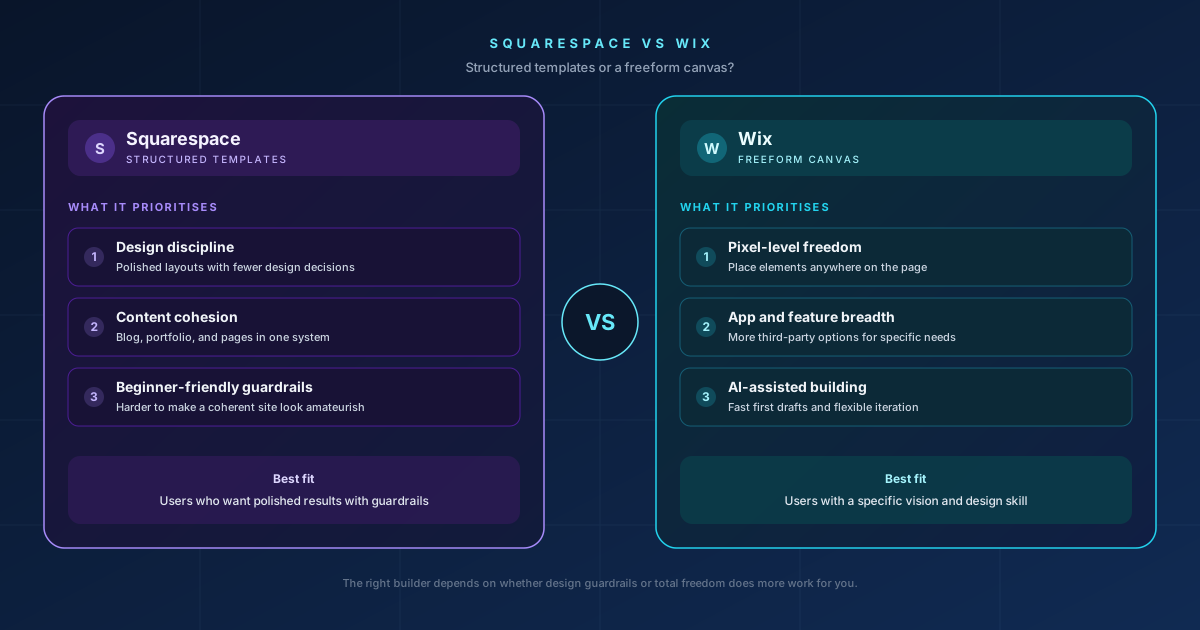
Squarespace's templates enforce a level of design discipline by default, consistent spacing, coherent typography pairings, layouts that are hard to make genuinely bad even with minimal design skill. The tradeoff is less flexibility if you want something the template system wasn't built to do.
Wix's freeform approach
Wix's drag-and-drop editor lets you place any element anywhere on the page, pixel by pixel, with essentially no structural guardrails. That freedom is genuinely powerful in skilled hands, and genuinely risky in inexperienced ones, since nothing stops you from creating a page that looks inconsistent or amateurish if you don't already have a design eye.
Where Squarespace Wins
Design consistency for non-designers
If you don't have design experience and want a professional-looking result with minimal effort, Squarespace's constrained templates are more forgiving. The platform's structure is effectively doing design work for you by limiting how far you can stray from a coherent layout.
Content-heavy sites
Squarespace's blogging and content tools integrate more cleanly with its page-building system, which suits businesses where written content and the store or portfolio need to feel like one cohesive site rather than separate systems bolted together.
Where Wix Wins
Total design flexibility
For a genuinely custom, unusual, or highly specific design vision, Wix's freeform canvas can achieve layouts that Squarespace's templates simply won't allow. If you know exactly what you want pixel-for-pixel, Wix gets out of the way and lets you build it.
App and feature breadth
Wix has one of the largest app marketplaces among website builders, covering everything from booking systems to membership sites to specific marketing integrations, generally offering more third-party options than Squarespace's more curated, smaller ecosystem.
Tooltester's hands-on comparison
AI-assisted building
Wix's AI-first tools (covered in more depth on our dedicated Wix AI builder review) have moved further and faster than Squarespace's equivalent AI features, which matters if generating a first draft quickly is a priority.
Working on a Squarespace and Wix platform assessment project?
Written scope before billing. $30/hr. We tell you if we're not the right fit.
The Real Decision Factor: How Much Design Discipline Do You Have?
If you're not confident in your own design instincts and want a platform that makes it hard to produce something amateurish, Squarespace's structure is doing you a favour. If you have a clear design vision, or you're working with someone who does, and you want the freedom to execute it exactly, Wix's flexibility becomes an asset rather than a risk.
This is genuinely the deciding factor more than any specific feature list, the same freedom that makes Wix powerful in skilled hands is what makes Squarespace's guardrails valuable in inexperienced ones.
The Reality of Migrating Between Them
Moving a site from Squarespace to Wix, or the reverse, involves rebuilding the page structure largely from scratch, since the two platforms' underlying page-building systems aren't compatible with a direct import. Content and images typically transfer more easily than layout and design, which usually needs to be recreated rather than migrated automatically.
Where We Fit
If you're comfortable with either platform's editor and confident in your own design sense, or lack of it, and you've chosen accordingly, this decision doesn't require us. Where we come in is for businesses that want an honest assessment of which platform actually fits their team's design comfort level, or custom development work beyond what either platform's built-in editor supports.
That's the same work behind our Squarespace development practice and Wix development practice, $30 an hour, written scope before any billing starts.

Akash Singh
View full profileCTO and Co-Founder, CV Infotech · Gurugram, India
Akash has been building Websites, Web Apps, SaaS and Mobile Apps for clients in the USA, Europe, Australia, and Canada since 2012. He leads a 100% in-house team and personally manages every client relationship and technical decision. Francisco Escobar has worked with him since 2012. Steven has trusted the team with his AI platforms since 2019. 512 verified 5.0 reviews on Freelancer.com.