What Are Platform Properties, Exactly?
Platform properties are a new type of Search Console property that lets you verify ownership of a social media or video account instead of a website. Once verified, Search Console starts collecting performance data on how that account's content shows up in Google Search results, Google Discover, and Google News.
This is a meaningful departure from how Search Console has always worked. Every property type before this one required you to prove you controlled a domain, either through a DNS record, an HTML file upload, or a meta tag. Platform properties skip all of that. You sign into your Instagram, TikTok, X, or YouTube account directly through Search Console, and that login itself is the verification.
How Google Decides Which Social Posts Appear in Search
Before you can make sense of platform property data, it helps to understand why social content appears in Google Search at all. Google has indexed YouTube content for years — it's a Google product — but its indexing of Instagram, TikTok, and X has expanded meaningfully over the past two years. The mechanism is different from website crawling: Google doesn't need a sitemap or robots.txt for a public social account. It reads publicly accessible posts directly, treating the caption or video title as the primary text signal — the same way it treats an H1 heading on a webpage.
The signals that influence whether social content ranks are quite different from traditional website SEO. There's no domain authority, no backlink profile, no Core Web Vitals. Based on what we observe in our own accounts and clients' data, the factors that appear to matter most are:
Understanding this is what separates businesses that use platform property data strategically from those who glance at the dashboard once and move on. When you see a query with 3,000 impressions and a 0.6% click-through rate, you're not looking at a random metric. You're looking at a caption or video title that isn't matching what the searcher expected to find. That's an actionable optimisation — and it only became visible because you connected the account.
How to Add Social Channels to Google Search Console (Step by Step)
Setting this up takes about five minutes per account. Here's the exact process, with screenshots from the live Search Console interface. For a dedicated visual walkthrough of the full process, see our step-by-step screenshot guide.
Open Google Search Console
Sign in at search.google.com/search-console with the Google account you normally use for your site.
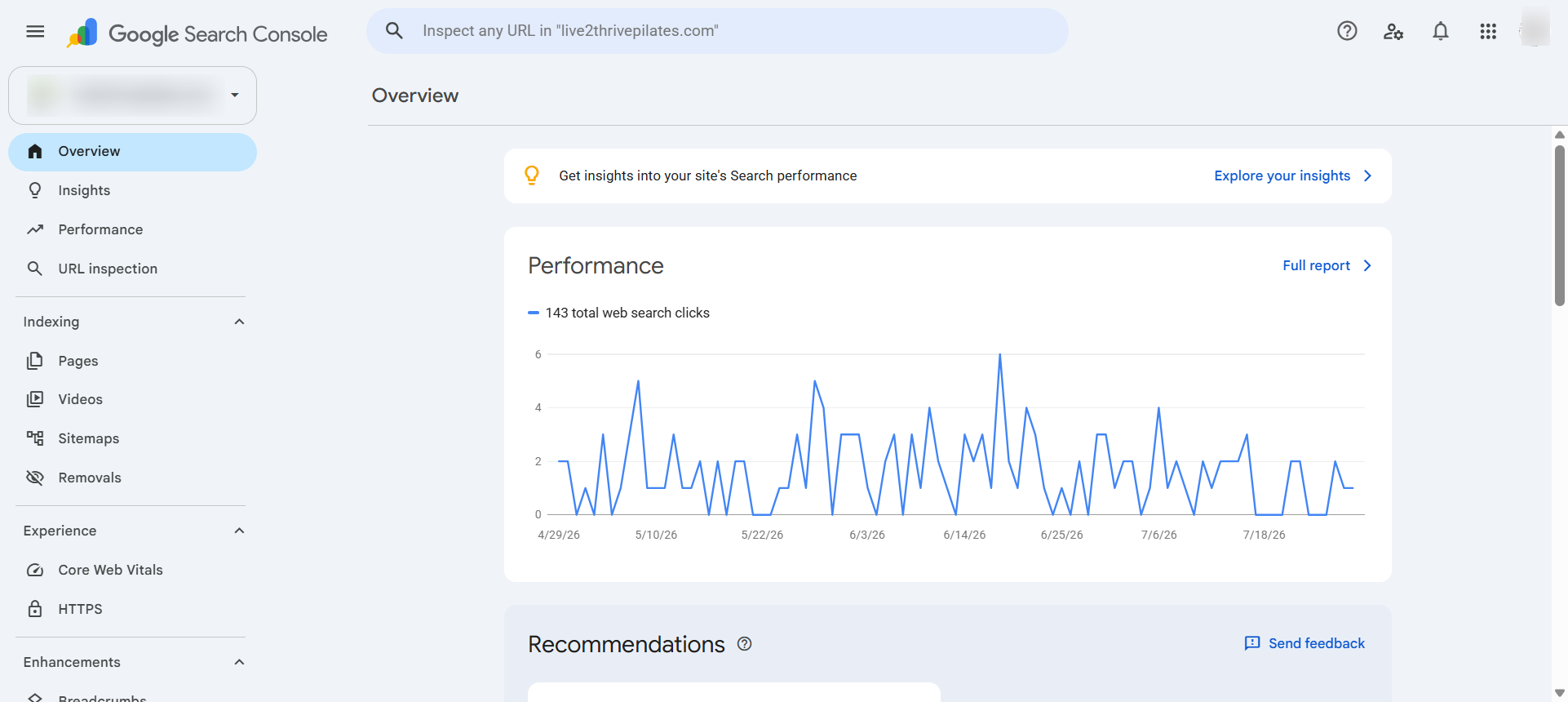
Click the Property Selector
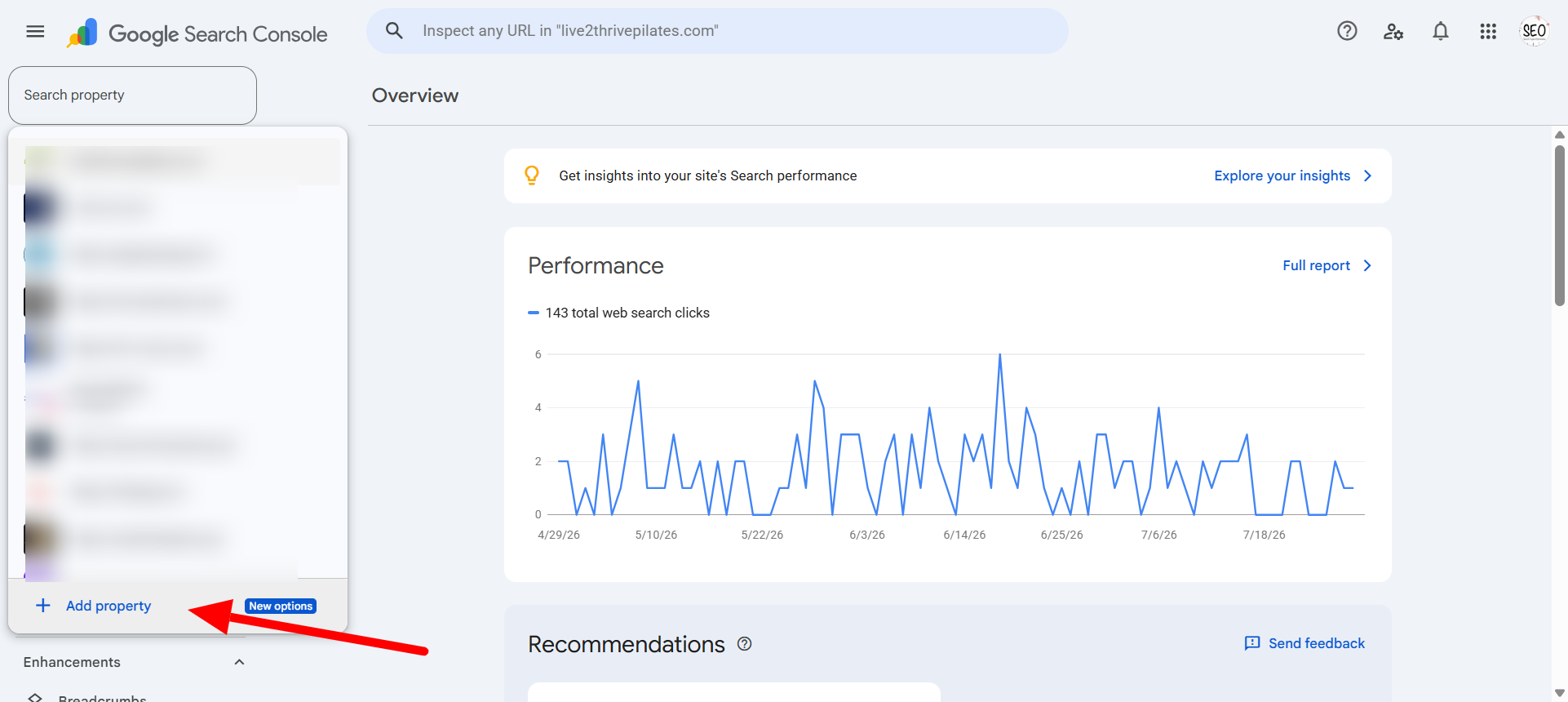
It's in the top-left corner of the dashboard. Click it, then click + Add Property.
Supported Platforms at Launch
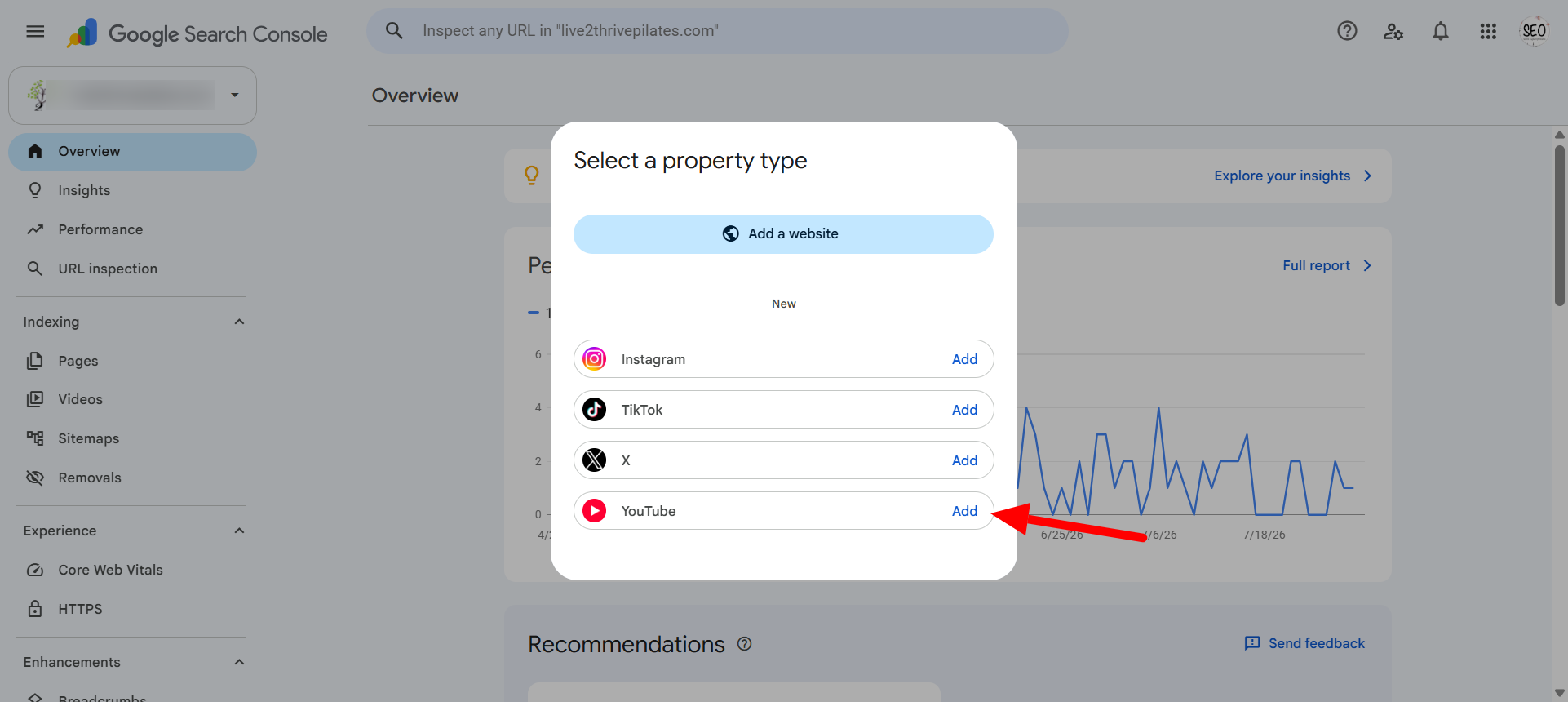
At launch, four platforms are supported, per Google's own announcement: Instagram, TikTok, X, and YouTube. Facebook, LinkedIn, and Pinterest aren't included yet, and Google hasn't announced a timeline for adding them.
Look for the new section below website properties
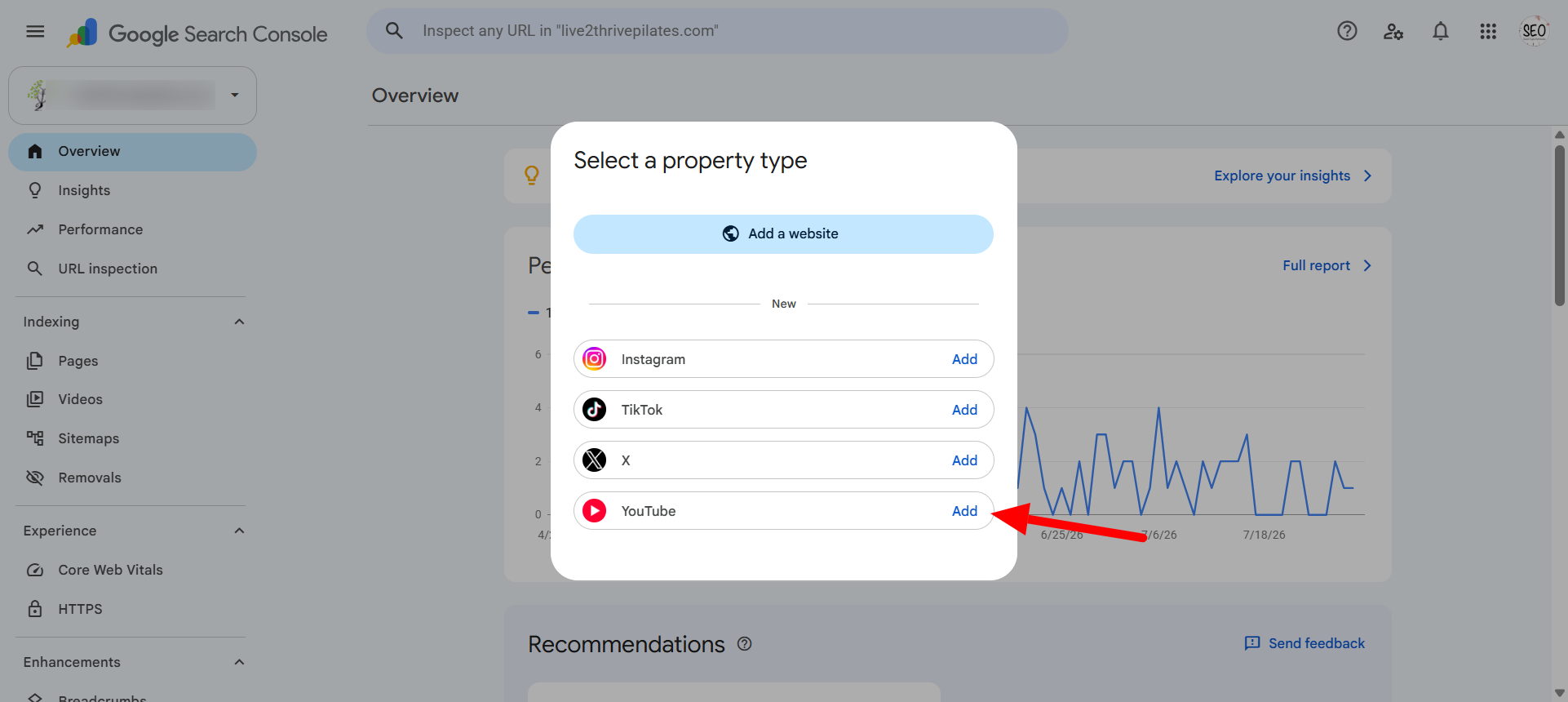
This is where platform properties live, separate from your usual domain and URL-prefix properties. You'll see the supported platforms listed: Instagram, TikTok, X, and YouTube.
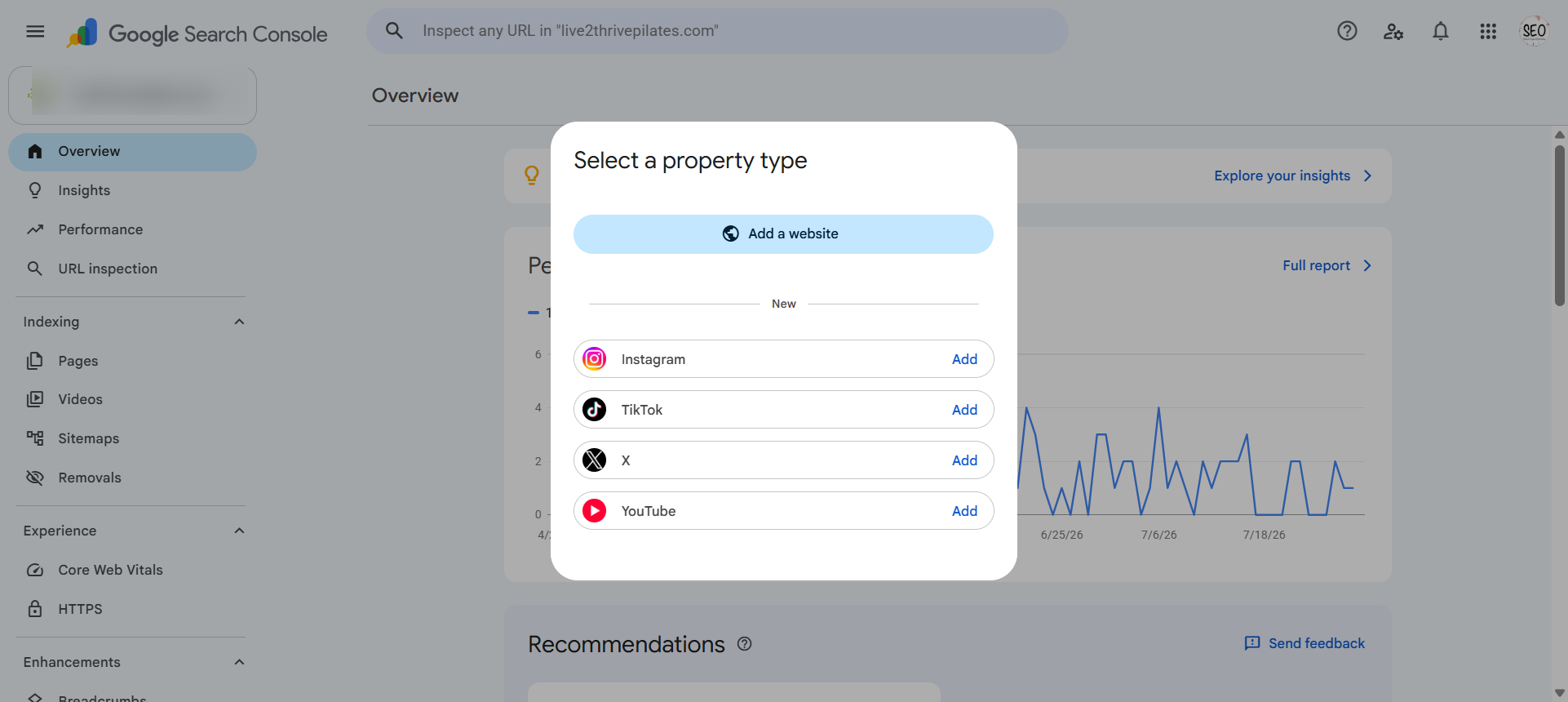
Click Add beside the platform you want
Each platform gets its own property, so if you're connecting more than one account, you'll repeat this process for each.
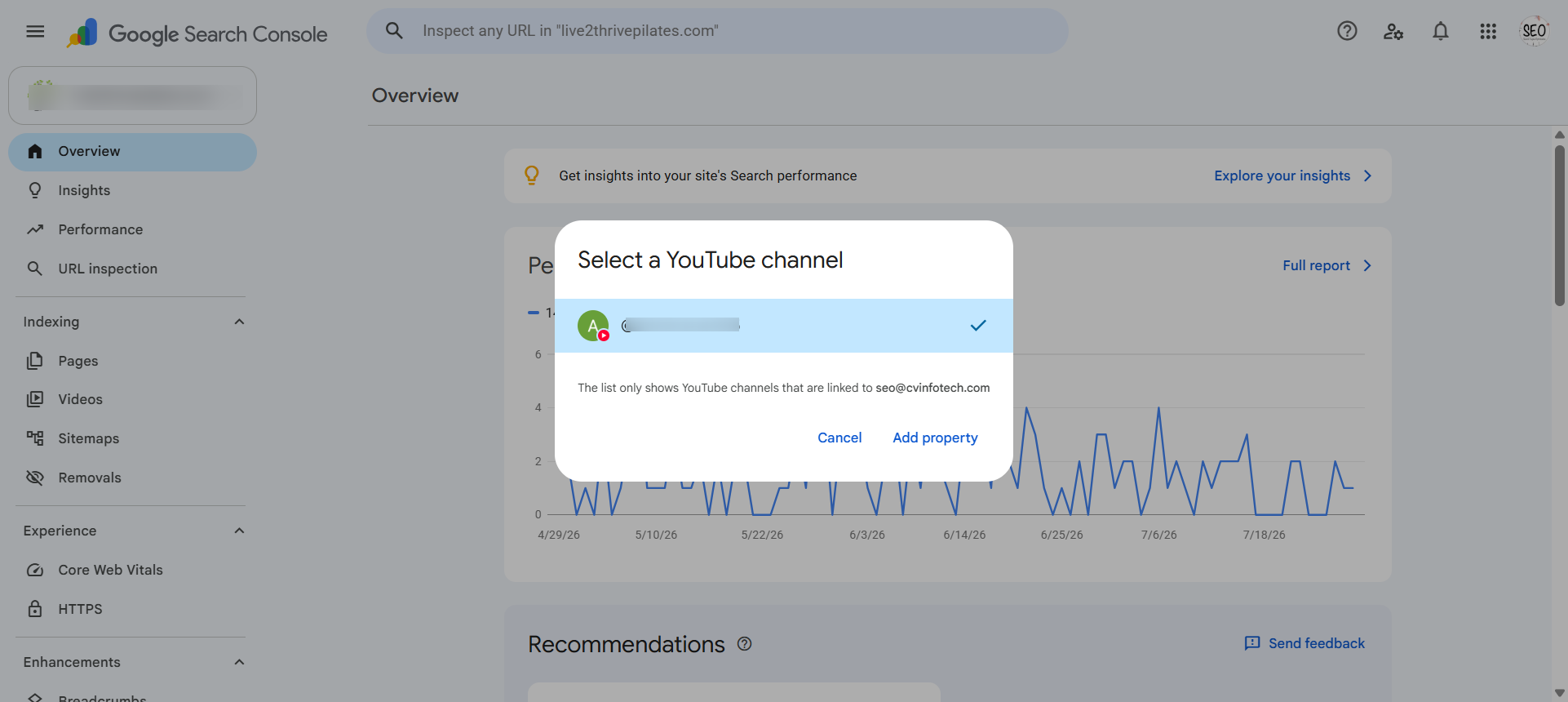
Sign in to your social account
Search Console will prompt you to log into the platform directly. For YouTube, it shows all channels linked to your Google account and asks you to select one. This login is the ownership verification step.
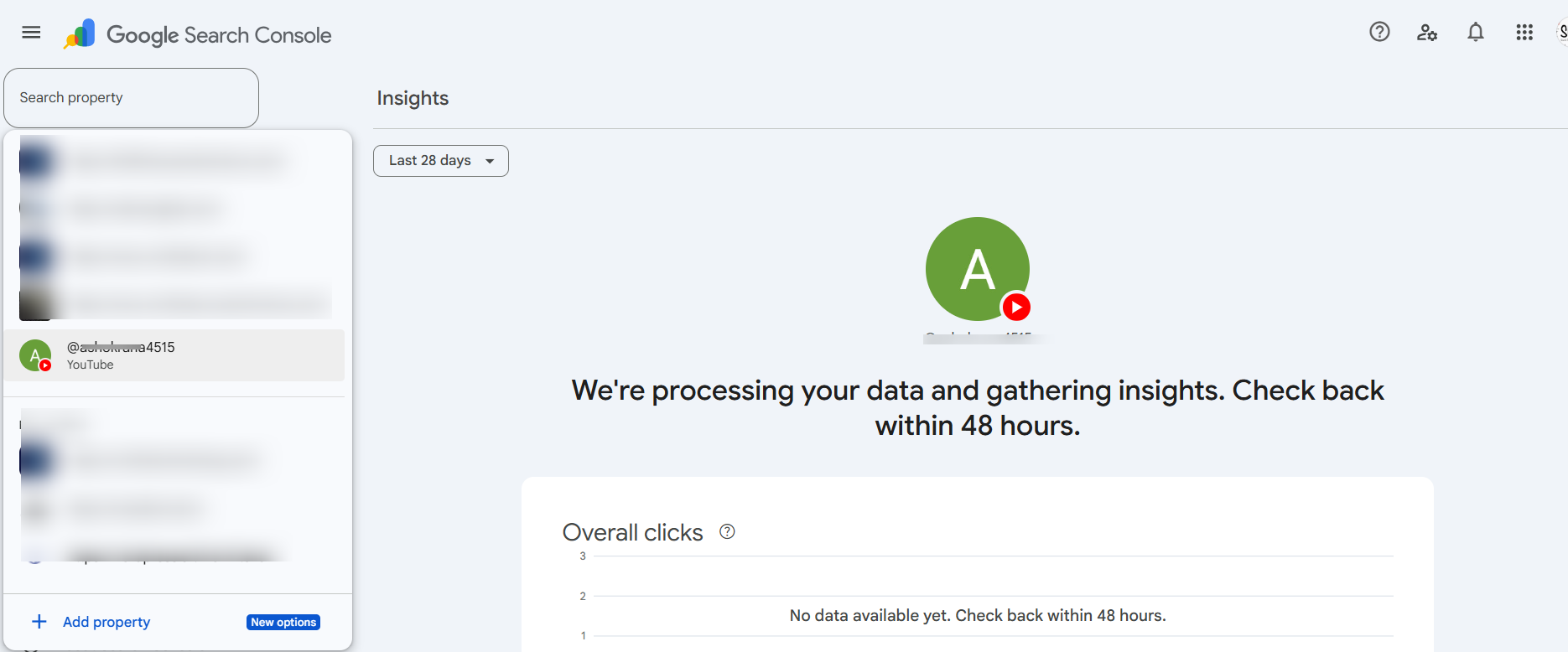
Complete verification
Once you've authorized the connection, the platform appears in your Search Console property list, right alongside your website properties. You'll see the account name under the platform type.
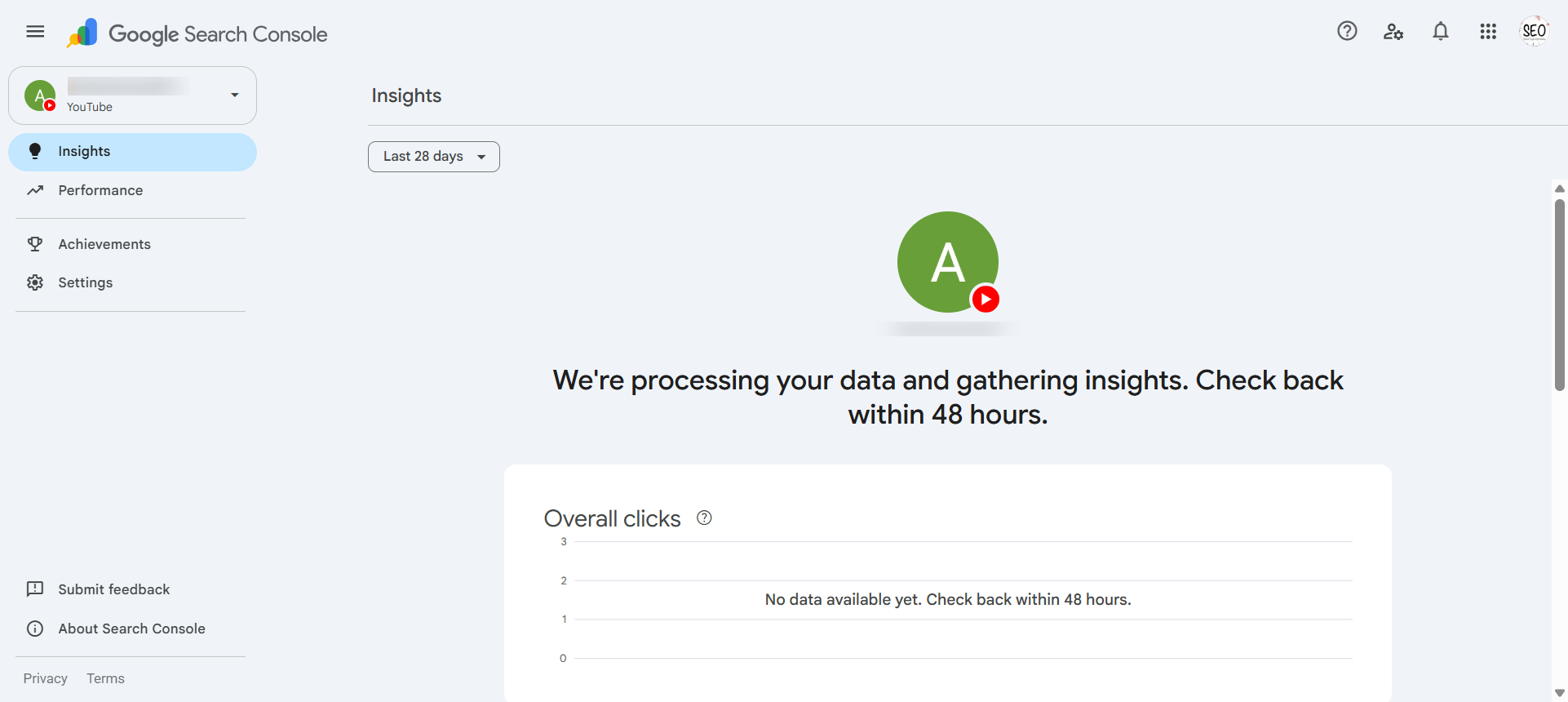
Wait for data collection
Performance reports don't populate instantly. Give it a few days before checking for search data, and don't expect historical backfill. The data starts accumulating from the date you verify, not before.
What Data You Actually Get
Once a platform property is live, Search Console shows you the same kind of performance breakdown you're used to seeing for a website, just applied to your social content:
| Metric | What it tells you |
|---|---|
| Clicks | How many people clicked through from Google Search to your content |
| Impressions | How many times your content appeared in search results |
| CTR | Click-through rate: clicks divided by impressions |
| Average Position | Roughly where your content tends to rank |
| Search Queries | The actual keywords people typed that led to your content |
| Top Content | Which specific posts or videos are pulling the most search traffic |
How Platform Properties Compare to Other Analytics Tools
A common question: does this replace Google Analytics or in-platform insights? No — but it fills a gap neither of them covers. Here's what each tool actually tells you about your social content:
| Question | In-Platform Analytics | Google Analytics 4 | GSC Platform Properties |
|---|---|---|---|
| What keywords drove traffic to this post? | No | No (not provided) | Yes ✓ |
| How many people saw this in their feed? | Yes ✓ | No | No |
| How much traffic did this send to my website? | Partial (link-in-bio only) | Yes ✓ | No |
| How does this content rank in Google Search? | No | No | Yes ✓ |
| Which posts pull the most Google impressions? | No | No | Yes ✓ |
| Likes, comments, saves, watch time | Yes ✓ | No | No |
The search queries report is the one worth paying attention to first. It tells you what people were actually looking for when they landed on your Instagram post or YouTube video from Google — information that simply didn't exist anywhere before this feature, since in-platform analytics only show you engagement inside that platform, never what someone searched on Google to find you.
It's worth being clear about what this isn't. It's a reporting tool. Google hasn't said connecting a platform property affects your rankings, your Knowledge Panel, or your structured data in any way. It's a window into data that already existed but was invisible, not a ranking lever you can pull.
Why This Matters More Than It Looks Like
For years, businesses posting on social media were flying blind on one specific question: is Google sending anyone to this content? You could see likes, comments, and shares. You couldn't see whether someone found your TikTok because they searched "best shopify agency india" on Google and it showed up in the results.
That gap mattered more than most people realized, because Google increasingly surfaces social and video content directly inside search results, not just website pages, something Search Engine Journal's coverage of the global rollout documented in detail. If your TikTok or Instagram post is quietly pulling in search traffic on a keyword you didn't even know you were ranking for, that's a genuine content opportunity you were missing entirely until now.
We've started reviewing this data for our own accounts, and the search query report alone is already surfacing terms we weren't deliberately targeting in our social captions or video titles. That's the practical value here, not a ranking boost, but a genuinely new visibility into what's working — and what deserves more attention.
A 4-Step Process for Turning Query Data Into Better Content
Connecting your accounts and looking at the impressions graph once isn't enough. The real value is in the search query report — and what you do with it. Here's the process we use for our own accounts and recommend to clients getting started with platform properties:
Filter for high-impression, low-CTR queries
Sort the search query report by impressions, then identify anything with a click-through rate below 2%. These are searches where your content is appearing but not compelling people to click. The issue is almost always the caption or video title — it shows in search results but doesn't match what the searcher expected to find. Update the title or first line of the caption to be more specific, then monitor over the next 30 days. Even a 1-percentage-point CTR improvement on a query pulling 5,000 monthly impressions is 50 additional clicks — from content you already created.
Identify the unbranded queries you're already ranking for
Filter out any query containing your brand name or handles. What's left are keywords your content ranks for purely on topic relevance — not because someone searched for you. A post ranking for "shopify checkout abandonment fix" or "best time to post reels india" is a genuine content asset, not just a social moment. Document these terms. They're candidates for proper website articles, YouTube deep-dives, or a content series.
Cross-reference with your website's GSC data
Open your website's Search Console property side-by-side with the platform property. If a keyword is pulling solid impressions to your Instagram post but your website sits on page two for the same term, you have a clear brief: write a proper page targeting that keyword, link to it from the social post, and own both surfaces. This is the most direct way to turn social visibility into compounding SEO value.
Track content format patterns — not just individual posts
After 4–6 weeks of data, look for format-level patterns: do Reels pull more Google impressions than carousels? Do long YouTube videos rank for more unique queries than Shorts? The answer varies by industry, account age, and topic. But it's now knowable from your own data, not industry guesswork — and it should feed directly into your content calendar decisions.
The first full audit takes about an hour. Once it's part of a monthly workflow, it's 20 minutes — and it's one of the few analytics tasks where the output directly tells you what to create next, rather than just confirming what already worked.
Where This Fits Alongside Your SEO and Schema Strategy
What sameAs Schema Still Does
If you've been doing the sameAs schema work most SEO agencies recommend — listing your official social profiles in your website's Organization structured data — it's worth being precise about how platform properties relate to that. They don't. Platform properties are a separate, standalone analytics layer. They don't feed your schema, they don't create or improve a Knowledge Panel, and Google hasn't confirmed any connection between the two systems.
A correctly implemented sameAs block in your website's Organization schema looks like this: "sameAs": ["https://www.instagram.com/yourhandle", "https://www.youtube.com/@yourchannel"]. That array tells Google's Knowledge Graph which social accounts belong to your brand entity — supporting Knowledge Panel eligibility and entity disambiguation. This is how Google knows that the Instagram account named "CV Infotech" is the same company as the website at cvinfotech.com, not a different business with a similar name. Platform properties don't affect this layer at all.
A note on AI Overviews and social content
As Google's AI Overviews increasingly answer search queries directly on the results page, social content that performs well in traditional Google Search may also be evaluated as a source for AI-generated answers. Google hasn't confirmed how AI Overviews source social content specifically, but the same qualities that help traditional rankings — specificity, accuracy, clear authorship, and factual detail in captions — are the same qualities AI systems favour when pulling content to synthesise an answer. Writing captions the way you'd write a good paragraph, not the way you'd write an engagement hook, is the right call regardless of which surface your content ends up appearing on.
What Platform Properties Do Not Do
That distinction matters because it's easy to assume a shiny new Google feature replaces older best practices. It doesn't. Your sameAs schema, consistent branding across every social bio, and structured data on your website remain the foundation for how Google's Knowledge Graph understands your brand as an entity. Platform properties sit on top of that as a reporting tool — not a substitute for it, and not a shortcut around it.
The Learning Curve of Doing This Properly In-House
Setting up one platform property takes five minutes. The part that takes real time is knowing what to do with the data once it starts coming in, and doing that consistently across every account, every platform, every client.
Each platform property is verified individually, there's no bulk setup and no API yet, which means an agency managing several client accounts is looking at real manual setup time multiplied across every account they manage. Beyond setup, reading query data correctly, spotting content gaps, and feeding that back into a content strategy that actually changes what gets posted, that's a skill most social media managers weren't hired for and most in-house marketing teams don't have bandwidth to build from scratch.
We've watched this pattern before with other Google tools. The setup is easy. The ongoing interpretation and action is where most businesses either never start or quietly stop after the first month.
Where We Fit
If you're comfortable connecting your own accounts and reading the query reports yourself, you don't need us for this. The setup process above is genuinely simple enough to do solo. Where we come in is turning that data into an actual content and SEO strategy, tying your platform property insights to your website's structured data, your keyword targeting, and your broader visibility across both traditional Google Search and the AI systems increasingly answering questions about your brand.
That's the same integrated approach behind our AI SEO work more broadly, treating search visibility as one connected system rather than a pile of disconnected tools nobody has time to check. $30 an hour, written scope before any billing starts.
Working on a SEO and social media strategy project?
Written scope before billing. $30/hr. We tell you if we're not the right fit.

Akash Singh
View full profileCTO and Co-Founder, CV Infotech · Gurugram, India
Akash has been building Websites, Web Apps, SaaS and Mobile Apps for clients in the USA, Europe, Australia, and Canada since 2012. He leads a 100% in-house team and personally manages every client relationship and technical decision. Francisco Escobar has worked with him since 2012. Steven has trusted the team with his AI platforms since 2019. 512 verified 5.0 reviews on Freelancer.com.