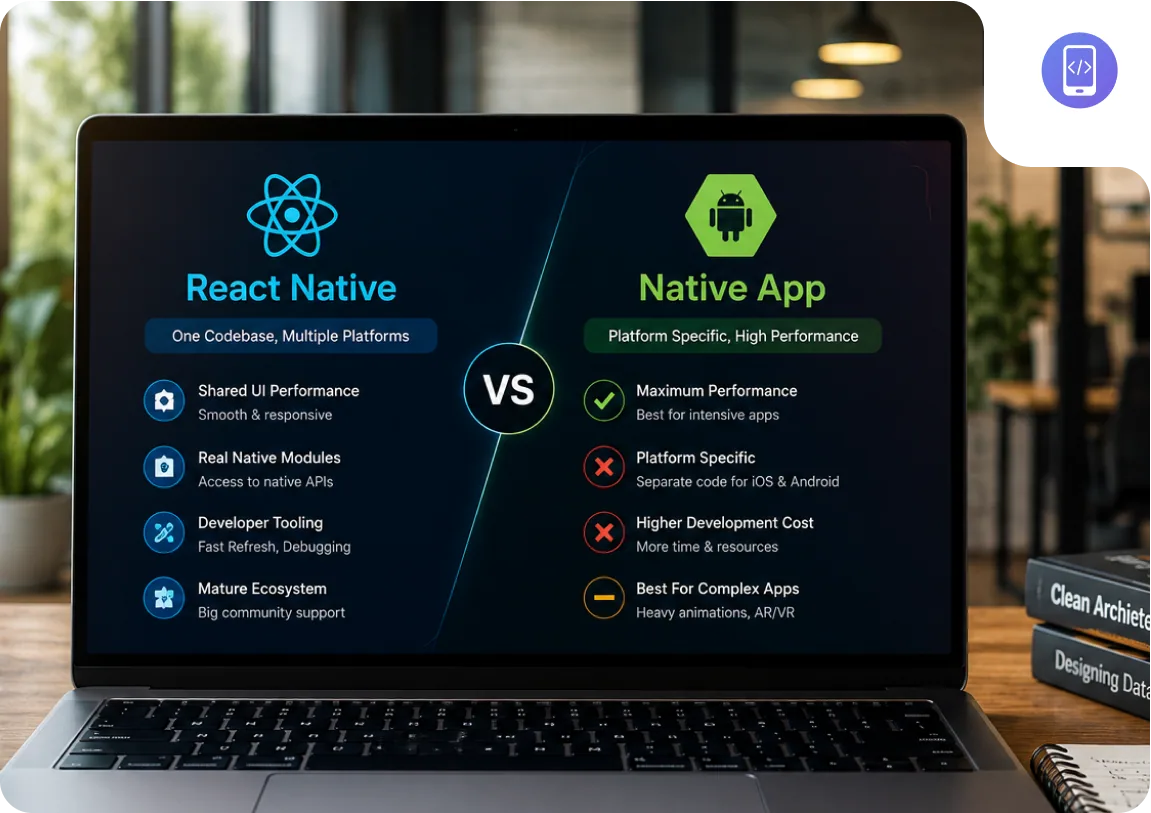
What React Native Actually Is in 2026
React Native in 2026 is not the React Native of 2019. The bridge architecture that caused the most significant performance problems (the asynchronous serialisation layer between JavaScript and native code) has been replaced by JSI (JavaScript Interface), which allows direct, synchronous communication between JavaScript and native modules.
The rendering system has also changed. Fabric, the new renderer, brings React Native's rendering model closer to how React works on the web, supporting concurrent rendering and reducing the jank that appeared on complex scroll views and animations in older versions.
Expo, which sits on top of React Native and manages the tooling, build system, and most native module integrations, has matured significantly. Expo Go, the development client, and EAS (Expo Application Services) for over-the-air updates and production builds have made the developer experience substantially better than it was three years ago.
Microsoft, Shopify, Meta, and Bloomberg all run production applications on React Native. This is not hobbyist infrastructure. The question is not whether React Native is production-ready. It is whether React Native is right for your specific application.
What Native Development Actually Means
Native iOS development means writing Swift (or Objective-C) code that compiles directly to the ARM instruction set Apple devices run on. Swift apps use SwiftUI (or UIKit) for the interface layer. They have direct access to every Apple API the moment Apple releases it: ARKit, Core ML, Core Bluetooth, HealthKit, StoreKit, and every hardware capability of the device. There is no translation layer between your code and the platform.
Native Android development means writing Kotlin (or Java) code with Jetpack Compose for the interface layer. Android native apps have the same direct API access: ARCore, ML Kit, Bluetooth LE, the Android Health APIs, and the full Android hardware surface. The compilation target is the Android Runtime (ART) on device.
The performance ceiling for native is higher than for any cross-platform framework, because there is no intermediate runtime. A React Native app runs JavaScript in Hermes, which communicates with native code via JSI. Even with the JSI optimisation, the JavaScript execution adds overhead for computation-heavy tasks. For standard UI work (scroll views, navigation, forms, data display), this overhead is imperceptible. For real-time video processing, on-device machine learning inference, or frame-rate-critical AR experiences, the overhead matters.
Native also means two separate codebases: one Swift project and one Kotlin project, each requiring developers with platform-specific skills. This is where the cost model diverges from React Native.
The Five Factors That Actually Determine the Choice
These are the factors we evaluate on every mobile project. They are ordered by how often they actually determine the outcome. The first two resolve the decision for the majority of projects.
1. Development cost and speed
A React Native application that runs on both iOS and Android typically costs 60 to 70 percent of the equivalent two-native-app build. The shared codebase means shared business logic, shared API integration, shared state management, and shared navigation. The platform-specific work that remains (primarily native UI components and platform-specific APIs) is a smaller fraction of the total build than most estimates suggest.
For most standard applications, this cost difference is the primary driver of the React Native recommendation. If you need iOS and Android and your budget is fixed, React Native delivers both for less than two native builds.
2. Performance requirements
The performance gap between React Native and native is real but narrow in 2026. Standard UI performance (scroll views, animations, navigation transitions) is indistinguishable from native for the end user in React Native with the New Architecture. The gap remains in computation-heavy scenarios: on-device machine learning inference, real-time video processing, camera frame analysis, and augmented reality.
If your application requires CoreML, TFLite, camera frame processing at high frame rates, or ARKit / ARCore, native is the correct choice. These are not solvable with React Native in 2026 without significant workarounds and performance tradeoffs. For everything else, the performance difference is not a material factor.
3. Team skill set and hiring
React Native developers write JavaScript and TypeScript. Swift developers write Swift. Kotlin developers write Kotlin. The hiring pools are different in size, availability, and cost. React Native developers are more widely available and typically less expensive per hour than native iOS (Swift) or native Android (Kotlin) specialists, particularly outside the US and UK.
If you have an existing web engineering team using React, React Native is a significantly lower overhead than native. Your web engineers can contribute. Your codebase shares libraries. Your tooling overlaps.
4. Platform feature access and timing
When Apple ships iOS 19 or Google ships Android 16 with new APIs, native applications can use them on day one of the OS release. React Native support for new APIs arrives through the Expo SDK or community libraries, typically weeks to months after the native release.
For most applications, this lag is not a material problem. The edge case is if your product strategy involves shipping features that depend on newly released platform capabilities before competitors do. In that specific case, native gives you a timing advantage.
5. Long-term maintenance
A single React Native codebase is easier to maintain than two native codebases, but React Native version upgrades are not always smooth. The New Architecture migration is the most significant example: projects on older React Native versions required non-trivial migration work. Native iOS and Android OS upgrades require maintenance work too, but the upgrade path is more predictable because Apple and Google provide longer deprecation cycles.
The honest maintenance comparison: React Native requires one codebase maintained by one team, with occasional framework version migrations. Native requires two codebases maintained by two teams or a team with both skill sets. Both require ongoing investment.
The Decision Framework
These two decision boxes cover the majority of real-world mobile app projects. Apply them in order.
Use React Native when:
- You need iOS and Android both
- Standard UI: feeds, dashboards, forms, navigation
- Budget is a real constraint
- Your team knows React or TypeScript
- Time to market matters more than day-one API access
Use native when:
- On-device ML or camera frame processing
- ARKit / ARCore / LiDAR scanning
- Day-one new OS feature dependency
- Real-time video processing at high frame rates
- Single platform only (iOS or Android, not both)
The Option Most Teams Do Not Consider
Most teams treat the React Native vs native decision as binary: pick one and build the entire app with it. There is a third option that works well for companies with large existing native codebases: the brownfield approach.
A brownfield integration means embedding React Native screens inside an existing native iOS or Android app, rather than rewriting the whole app. You keep the existing native screens that are working well. You use React Native for new features, where the shared codebase benefits are highest and the risk of disrupting existing functionality is lowest.
When brownfield makes sense:
- You have an existing iOS or Android app with significant native investment
- You want to add new features to both platforms faster without a full rewrite
- Your core screens use platform-specific features that are difficult to replicate in RN
- You want to validate cross-platform development before committing to a full migration
Meta's own apps use brownfield React Native. So does Microsoft in Office apps. Brownfield is not a compromise, it is often the pragmatic decision for mature products. The trade-off is integration complexity: two build systems, careful navigation stack management, and a mixed team that needs both native and JavaScript skills. We have delivered brownfield integrations and can advise whether it fits your existing architecture.
Why the In-House Decision Is More Expensive Than It Looks
When teams evaluate React Native vs native, they often frame it as a technology decision. In practice, for most non-technical founders and product companies, it is also a resourcing decision that changes depending on whether you are building in-house or outsourcing.
Building native in-house means hiring at minimum one senior iOS developer and one senior Android developer. In the US or UK market, each costs $120,000 to $180,000 per year in salary. Together, you are spending $240,000 to $360,000 annually on platform engineers before a single feature ships. In India, senior native mobile engineers cost $15,000 to $30,000 per year each, but finding developers with strong experience in both Swift and Kotlin is harder than finding React Native engineers.
Building React Native in-house requires one team with TypeScript experience, which is far more available than native specialists. The same team can maintain both platforms. The knowledge does not silo the way native knowledge does.
| Approach | Team required | CV Infotech cost |
|---|---|---|
| Native iOS only | 1 Swift developer | $10K–$25K |
| Native Android only | 1 Kotlin developer | $8K–$22K |
| Both native (iOS + Android) | 2 platform specialists | $18K–$47K combined |
| React Native (both platforms) | 1 RN team, shared codebase | $12K–$35K |
A React Native app covering both iOS and Android typically costs 60-70% of two separate native builds: the same features, one codebase, one team.
Working on a mobile app project?
Written scope before billing. $30/hr. We tell you if we're not the right fit.
How CV Infotech Approaches This
We build in React Native with Expo, native iOS with Swift and SwiftUI, and native Android with Kotlin and Jetpack Compose. Our team is active in all three stacks, not a React Native shop that recommends React Native regardless of the brief.
Our recommendation process on every new mobile project:
- We establish whether you need iOS and Android both, or one platform first.
- We identify any specific performance requirements (on-device ML, AR, real-time video) that make native mandatory.
- We assess your team's existing skills and whether in-house or outsourced development fits your timeline.
- We check for any day-one API requirements that need native access.
- We give you a written recommendation with the cost breakdown for each option before you commit.
The discovery call is 30 minutes and free. We do not recommend a framework and then start billing. We scope the work first, you review the scope, and you decide before we write a line of code.

Akash Singh
View full profileCTO and Co-Founder, CV Infotech · Gurugram, India
Akash has been building Websites, Web Apps, SaaS and Mobile Apps for clients in the USA, Europe, Australia, and Canada since 2012. He leads a 100% in-house team and personally manages every client relationship and technical decision. Francisco Escobar has worked with him since 2012. Steven has trusted the team with his AI platforms since 2019. 512 verified 5.0 reviews on Freelancer.com.