CV Infotech has been redesigning websites since 2012. John Gowland's online real estate platform was an 8-month redesign project: “the service delivered exceeded my expectations.” Laura Maher from Australia has worked with us across multiple WordPress redesign projects. These signals come from 14 years of pre-redesign discovery conversations.
Most websites do not fail dramatically. They fade.
The traffic does not collapse overnight. It drifts downward, quarter by quarter. The bounce rate climbs slowly enough that no single week is alarming. The enquiry form submissions that used to arrive weekly become monthly, and nobody can say exactly when that changed. The website is not broken. It is just no longer working.
The signals are measurable long before a business decides to act on them. In 14 years of pre-redesign discovery conversations, the same seven indicators appear consistently, in combination, in the websites that have passed their useful life. If four or more of these apply to your site, the ROI on a redesign is almost always higher than the ROI on continued maintenance of what you have.
Each sign below includes a specific test you can run today, for free. The diagnosis does not require a developer. It requires ten minutes and the URLs listed.
The 7 Signs
Your website fails the mobile experience test
Google's Mobile-Friendly Test is a binary pass or fail. If your website fails it, Google is already treating your site as inadequate for mobile users, and mobile accounts for more than 60 percent of web traffic in most business categories. A failure here is not a warning. It is an active ranking and conversion penalty.
The more common problem is a website that technically passes the binary test but delivers a poor mobile experience: text too small to read without zooming, tap targets too close together for reliable tapping, content that overflows the viewport, or pop-ups that cover the main content and cannot be dismissed. Google's PageSpeed Mobile report captures these in detail beyond the binary test result.
How to test
Go to search.google.com/test/mobile-friendly and enter your URL. Any failure result requires immediate attention. Also open your site on a real phone and navigate to the homepage, a service page, and the contact form. If you have to pinch to read anything, the test result does not matter. You already have the answer.
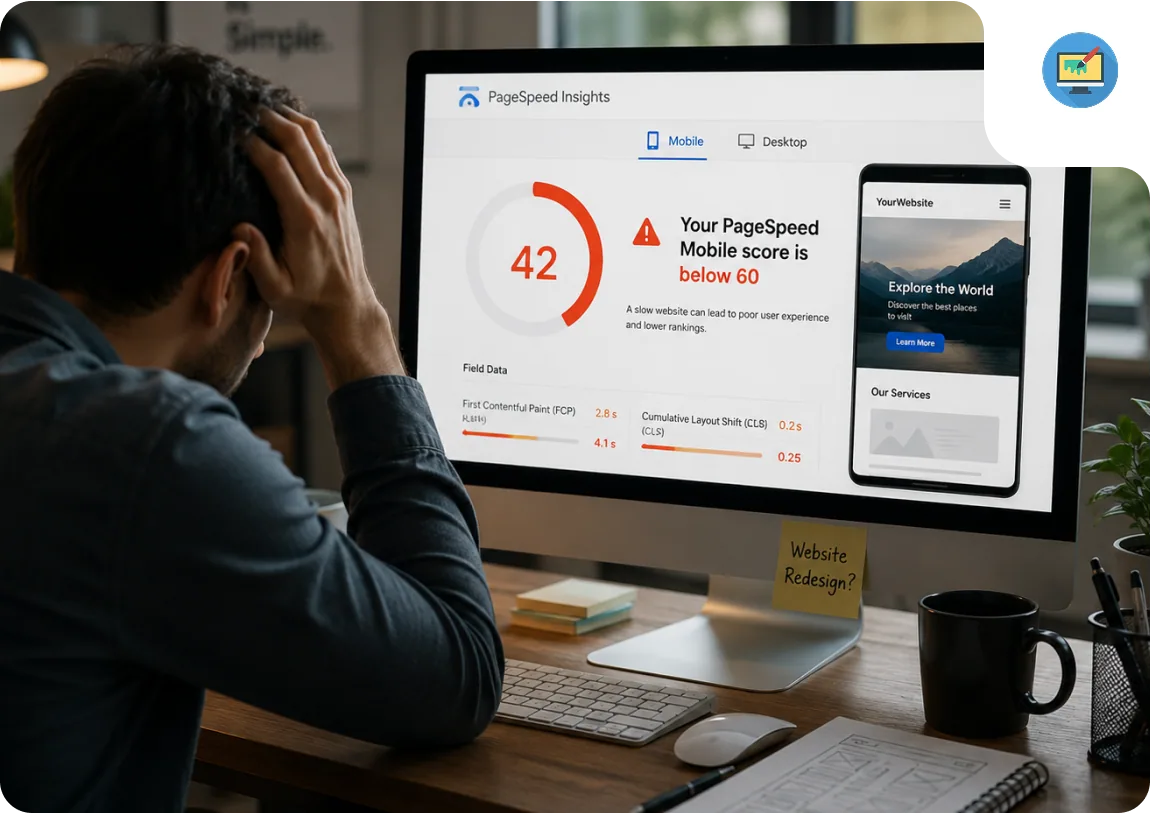
Your PageSpeed Mobile score is below 60
Google's Core Web Vitals (Largest Contentful Paint, Cumulative Layout Shift, and Interaction to Next Paint) are incorporated into search ranking signals. A PageSpeed Mobile score below 60 almost certainly means you are failing at least one of these metrics. A score below 50 means you are failing multiple.
The specific penalties are less important than the compounding effect: a slow, poorly optimised mobile experience increases bounce rate, which suppresses the behavioural signals Google uses to determine whether your page satisfied the search intent, which compounds the ranking impact of the technical deficit. A PageSpeed score is not a vanity metric. It is a proxy for whether users are staying and engaging.
How to test
Go to pagespeed.web.dev and enter your URL. Run for mobile specifically. Note your LCP, CLS, and INP scores. If your mobile score is below 60 or any metric shows red, you have a measurable ranking problem.
Your CMS requires a developer to update basic content
If updating a service description, changing a phone number, or publishing a blog post requires contacting a developer or waiting for a technical person on your team, your CMS is not fit for purpose. A content management system that requires developer involvement for content changes is a business liability: it adds cost to every content update, slows your response to market changes, and creates a single point of failure for your online presence.
This is frequently the case with older bespoke builds, websites built with page builders that were not maintained, or WordPress installations where the theme framework was customised in ways that broke the editing experience. The business impact is that content falls out of date because updates are too painful to make, which compounds the other problems.
How to test
Ask your team: how long does it take to update the homepage headline or add a new team member photo? If the answer involves requesting developer time or takes longer than 15 minutes, your CMS is working against you. Check your most recent blog post date. If it was more than 90 days ago, the CMS is a barrier.
Your conversion rate has declined without a clear traffic explanation
A declining conversion rate that cannot be explained by traffic quality changes is a strong signal that something structural has changed in user behaviour on your site. The most common causes: the site has become slower, the design has become visually dated relative to competitors in the same space, or the mobile experience has degraded while traffic has shifted more heavily mobile.
The specific threshold varies by industry, but a contact or enquiry rate below 0.5 percent for a B2B service business, or a checkout conversion rate below 1.5 percent for an eCommerce store, warrants a diagnostic review rather than continued optimisation of the existing design.
How to test
Open Google Analytics and compare your contact form completions and bounce rate from the current quarter against the same quarter one year ago. A declining trend without a traffic quality change is a conversion problem, not a traffic problem.
Your search rankings have declined for previously-held keywords
Google's mobile-first indexing means technical inadequacy on mobile is now a ranking factor in the same way content quality always was. If you previously held positions for your core service keywords and have drifted without changing your content, the ranking signal change is likely technical rather than topical.
The compounding problem is that a competitor with a newer site has improved their technical baseline while yours has remained static. The ranking gap widens not because you got worse in absolute terms, but because the field moved around you. Technical debt in a website is not neutral. It is a position that erodes as the standard rises.
How to test
Open Google Search Console, go to Performance, and compare impressions and average position for your core service keywords between the last 3 months and the same 3 months from the previous year. A downward position trend on stable keywords is the clearest signal.
Your brand has evolved but your website has not
A business that has grown, pivoted, expanded its services, or repositioned its market focus without updating its website is presenting an outdated identity to every new visitor. The trust gap between what the company is and what the website says it is does not require a visitor to consciously identify it. They feel it as a sense of mismatch and behave accordingly.
The specific signals: services listed on the website that the company no longer offers, services the company sells that are not on the website, a team page with photographs of people who left years ago, a client list that stops in 2022, and a design language that predates the current brand guidelines. Each of these is a small erosion of credibility. Together they are a consistent message that the company does not invest in its own presentation.
How to test
Ask someone unfamiliar with your business to spend three minutes on your site and describe what the company does and who it serves. Compare their answer to your actual positioning today. Check the team page for people who no longer work there. Check the services page for things you no longer offer. The gap between those is your brand alignment problem.
Your website has security or infrastructure problems
HTTP rather than HTTPS is a trust failure that browsers signal to users explicitly: Chrome, Safari, and Firefox display a “Not Secure” warning in the address bar for non-HTTPS sites. Beyond the user trust impact, Google confirmed HTTPS as a ranking signal in 2014 and has progressively weighted it more heavily since. An HTTP site in 2026 is a choice to rank below equivalent HTTPS competitors.
PHP below version 8.0 is end-of-life, which means no security patches for known vulnerabilities. WordPress installations running on EOL PHP are exposed to vulnerabilities that are publicly documented and actively exploited. The WordPress core and popular plugin CVEs are catalogued publicly, and automated scanning tools look for sites running vulnerable PHP versions. This is not a hypothetical risk.
How to test
Check your SSL certificate status at ssllabs.com/ssltest (free). Ask your host which PHP version your server runs; anything below PHP 8.0 is end-of-life with no security patches. Check your hosting dashboard uptime log for the past 90 days. If any of these fail, the infrastructure problem is costing you every day it persists.
Redesign vs Refresh: Which Do You Need?
One sign in isolation might be addressed with a targeted fix: a performance optimisation, a security update, a content refresh. When four or more signs apply simultaneously, the cumulative cost of fixing each issue individually exceeds the cost of a redesign, and each fix you make to the existing build is debt on an asset that is already past its depreciation curve.
The practical threshold we use in client conversations: if three of the first five signs apply to your website, the conversation has moved from “should we redesign” to “when and how.”
When the platform is the root cause of multiple problems, targeted fixes cannot resolve the underlying issues. If this applies to your situation, you may already be outgrowing your current platform entirely. A refresh can address visual and content problems. Only a rebuild can address structural ones.
| Signs Present | Recommendation |
|---|---|
| 1–2 signs | Targeted fix: address the specific issue without a full rebuild |
| 3 signs (including 1+ Critical) | Redesign assessment: scope the rebuild cost vs patch cost |
| 4+ signs | Rebuild: patching is no longer cost-effective |
What a Website Redesign Costs in 2026
Cost varies primarily by project scope and the complexity of the existing site. The figures below reflect Indian agency rates at $30 per hour. US or UK agency equivalents are three to five times higher for the same output.
Small Business / Brochure Site
Up to 10 pages
New WordPress theme, basic performance optimisation, contact form setup, CMS training. Suitable when the existing platform is sound but the design is dated and content is stale.
Timeline: 6–10 weeks from kick-off to launch
Mid-Complexity Service Site
Custom design, multiple templates
Custom design system, multiple page templates, contact and booking forms, SEO URL preservation, and CMS training. Appropriate when four or more of the seven signs apply and the existing platform cannot be patched into shape.
Timeline: 10–18 weeks from kick-off to launch
eCommerce Redesign
Catalogue migration included
WooCommerce or Shopify rebuild with product catalogue migration, payment gateway reconfiguration, and SEO URL preservation across every product and category page. Upper range reflects large catalogues with complex variant or pricing structures.
Timeline: 14–28 weeks from kick-off to launch
How CV Infotech Approaches This
We tell you what you actually need, not what costs the most
In the first call, we run through the seven diagnostic signals with you. If the result is a targeted fix rather than a redesign, we say so. We have turned down full redesign briefs when the honest answer was a performance fix and a content update. The diagnostic call is free.
When a redesign is the right answer, we produce a written scope document before any billing begins. Every page, every template, every migration deliverable, and the post-launch support period are listed explicitly. Our rate is $30 per hour. There are no retainers or change-order surprises for work within the agreed scope.
Working on a website redesign project?
Written scope before billing. $30/hr. We tell you if we're not the right fit.

Akash Singh
View full profileCTO and Co-Founder, CV Infotech · Gurugram, India
Akash has been building Websites, Web Apps, SaaS and Mobile Apps for clients in the USA, Europe, Australia, and Canada since 2012. He leads a 100% in-house team and personally manages every client relationship and technical decision. Francisco Escobar has worked with him since 2012. Steven has trusted the team with his AI platforms since 2019. 512 verified 5.0 reviews on Freelancer.com.
Questions and Answers