WordPress 7.0, codenamed Armstrong, is not a cosmetic release. It brings native AI infrastructure into WordPress core and the most significant admin dashboard redesign the platform has seen since 2013. It also leaves out a feature many people expected to see.
What Actually Shipped in WordPress 7.0
Released on May 20, 2026, WordPress 7.0 begins the next phase of Gutenberg’s evolution. The official WordPress Armstrong release announcement is the best primary overview of what landed.
For businesses, the release matters because it changes two everyday surfaces: how plugins and themes can connect to AI, and how content teams interact with the admin. Both can reduce friction, but neither removes the need for sensible governance.
Native AI Is Now Part of WordPress Core
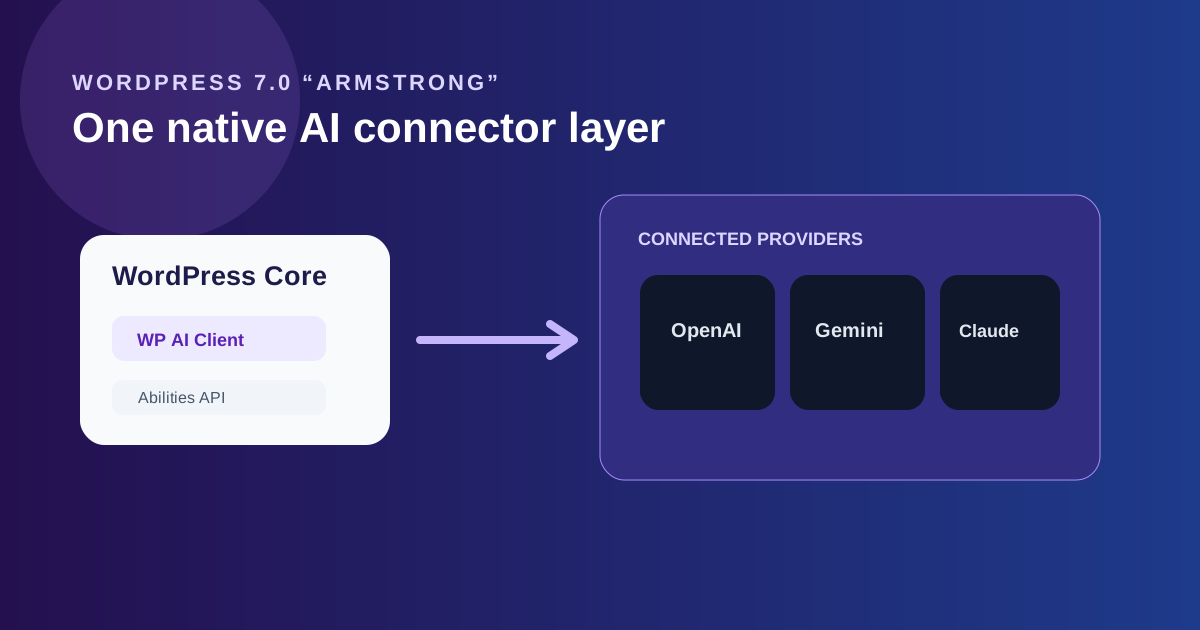
The key addition is the WP AI Client and its Abilities API. Rather than every plugin building its own isolated connection to an AI provider, WordPress now has a standardised layer that can connect compatible tools to OpenAI, Google Gemini, and Anthropic Claude.
That can simplify setup and reduce duplicated integrations. It does not mean every AI plugin instantly becomes unnecessary. Review your own stack before cancelling anything, especially where a plugin has workflows, safety controls, or editorial features beyond a provider connection.
For a useful independent technical walkthrough of the release, see this WordPress 7.0 release guide .
The Admin Dashboard Has Finally Been Redesigned
WordPress 7.0 includes the first serious redesign of the admin dashboard since 2013. It is powered by a new component system called DataViews and aims to make content and data-management tasks feel more coherent across the platform.
For an editor, the value is in everyday clarity. For an agency or site owner with heavily customised plugins, the implication is simpler: test the experience on staging. Admin-side compatibility is where a visual change of this scale is most likely to expose assumptions made by older plugins.
Working on a WordPress upgrade project?
Written scope before billing. $30/hr. We tell you if we're not the right fit.
What Got Cut: Real-Time Collaboration
Real-time collaboration was expected to be part of the release. During development, the team found a performance issue in the synchronisation layer and removed the feature rather than ship an unstable version. It is now expected in a later release.
That is worth knowing because it separates the actual release from the early roadmap coverage. Armstrong is an important update, but it is not the complete collaborative editing overhaul some previews suggested.
How to Upgrade Safely
- Clone the production site to staging and update there first.
- Check custom themes, page builders, ecommerce flows, forms, and critical plugins.
- Review whether native AI features overlap with existing paid tools before changing subscriptions.
- Test the updated admin with the people who use it every day, not only with a developer account.
- Schedule the production update with a fresh backup and a documented rollback path.
For simple sites, this may be a short job. For a heavily customised WordPress installation, it is still a production change and should be treated accordingly.

Akash Singh
View full profileCTO and Co-Founder, CV Infotech · Gurugram, India
Akash has been building Websites, Web Apps, SaaS and Mobile Apps for clients in the USA, Europe, Australia, and Canada since 2012. He leads a 100% in-house team and personally manages every client relationship and technical decision. Francisco Escobar has worked with him since 2012. Steven has trusted the team with his AI platforms since 2019. 512 verified 5.0 reviews on Freelancer.com.